Without Pro
- Open your bank app
- Scroll for the e-Transfer
- Work out which tab it was for
- Open e-tab and mark them paid
- Repeat for everyone, every time
Stop refreshing your bank app and ticking people off by hand. With Pro, every Interac e-Transfer you receive flows into e-tab, gets matched to the right person and tab, and is checked off for you.
Works with RBC, TD, Scotiabank, BMO, CIBC, Desjardins, National Bank, Tangerine and every other Canadian bank. No bank login needed.
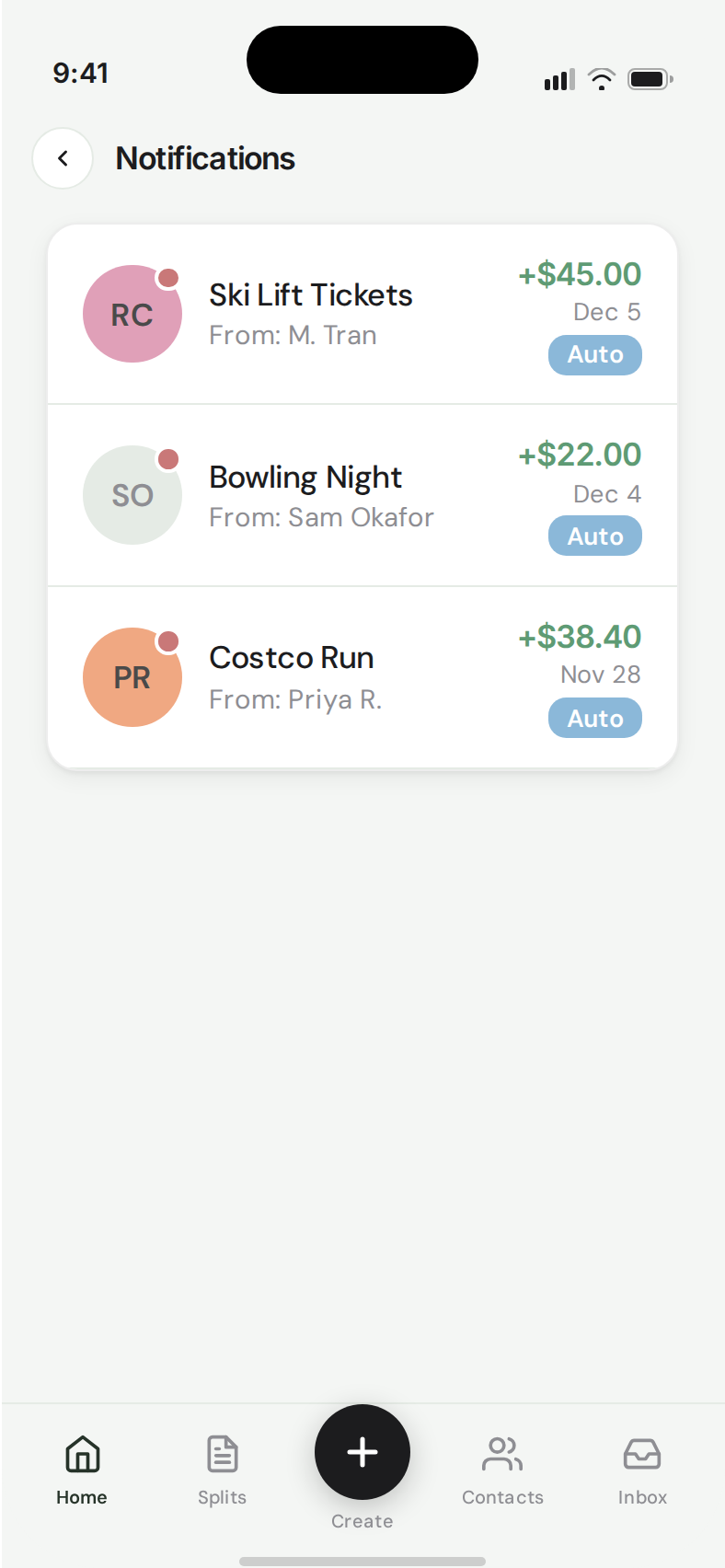
Auto-matched payments are tagged, so you can see exactly what e-tab did.
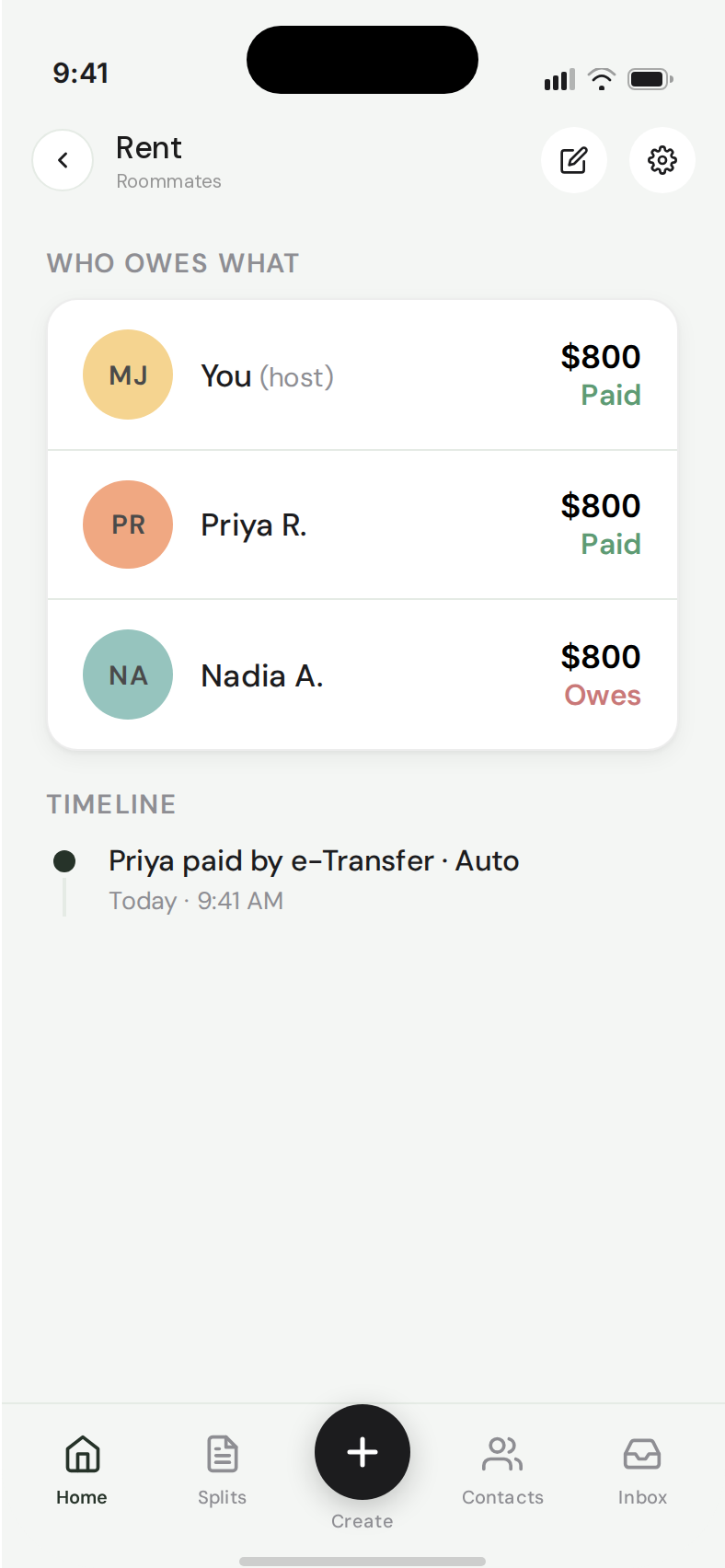
e-tab finds who sent it and which tab it's for, and marks them paid.
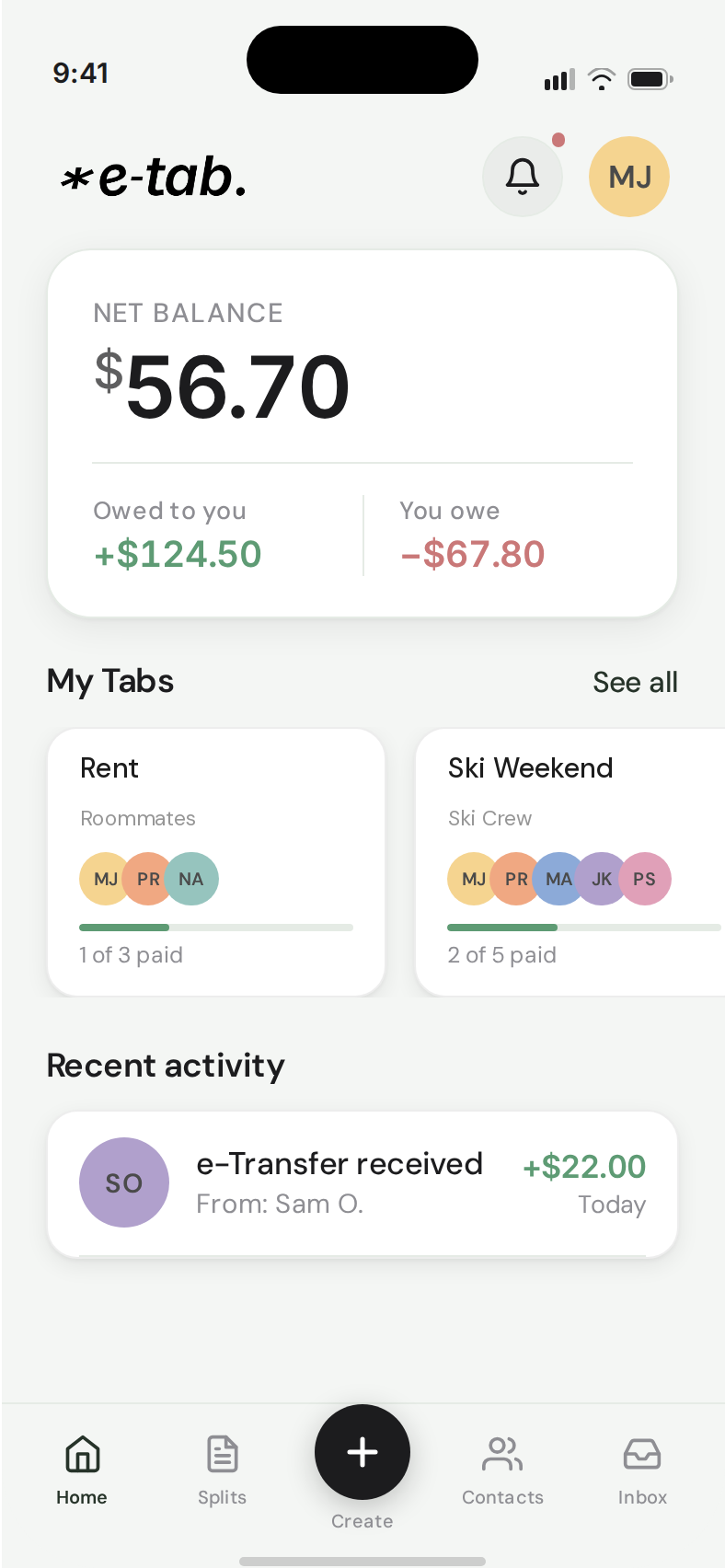
When the last payment lands, your home screen shows the tab all paid.
Collecting is the worst part of covering the bill. Pro takes the busywork off your plate, so the only thing you do is get paid.
Without Pro
With Pro Pro
That's it. e-tab already found the e-Transfer, matched it to the tab and checked Priya off.
Inbox
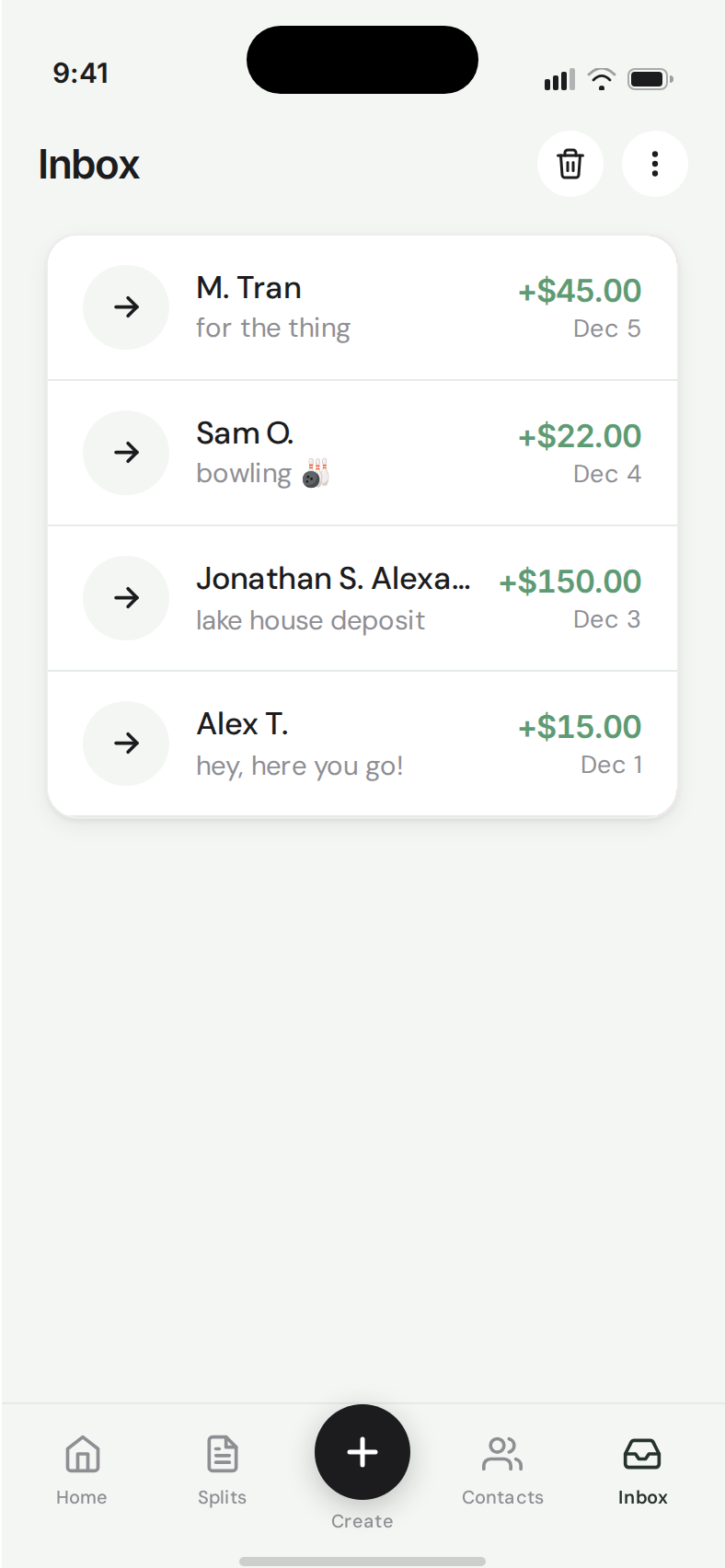
Every Interac e-Transfer you receive lands in your e-tab Inbox: who sent it, how much, and the message they wrote. No logging in to your bank, no digging through email.
See at a glance who's paid, even the ones that haven't matched a tab yet.
Only Interac e-Transfer notifications are used, and they're deleted 14 days after processing.
e-tab never connects to your bank account.
Payments go straight from your friend's bank to yours.
Turn auto-matching off in Settings any time, or remove the forwarding rule.
Everything you need to split and track is free, for good. Pro adds the part where e-tab watches for e-Transfers and checks people off for you.
| Feature | Free | Pro |
|---|---|---|
| Split any way you likeEvenly, by amount or by percent. | ||
| GroupsRoommates, teams and trips, set up once. | ||
| Friendly remindersNudges sent for you every few days. | ||
| Receipt scanningSnap the bill and everyone claims their items. | 1 a month | Unlimited |
| Check people off yourselfMark someone paid when their e-Transfer lands. | ||
| Recurring tabsSet it once and the tab is created with the same people on schedule. | – | |
| e-Transfer InboxEvery e-Transfer you receive, in one place. | – | |
| Automatic matchingPayments matched to the right person and tab, and checked off. | – |
You'll see the price in the app before you pay anything. Everything in free e-tab stays free either way.
No. Only the person collecting needs Pro. Friends pay you by e-Transfer from their own bank like they always do.
Yes. Pro reads the Interac e-Transfer notification emails every Canadian bank and credit union sends, so it works no matter where you or your friends bank.
No. e-tab never asks for your bank login and never moves money. It only reads the e-Transfer emails you forward to it, and deletes each one 14 days after processing. Read the privacy policy
It won't guess. When a payment could fit more than one tab, or the sender's name doesn't match anyone, e-tab asks you to confirm.
Turn on Pro in the app, then add one forwarding rule in your email. Step-by-step setup for Gmail, Outlook and iCloud
Download e-tab for free, then turn on Pro under Settings whenever you're ready.